Guide · Boards
A1, A0 or 24 × 36? Architecture presentation sheet sizes explained
Outside North America, architecture boards are usually A1 (594 × 841 mm) or A0 (841 × 1189 mm). Many schools in the United States and Canada use 24 × 36 inch sheets, called ARCH D, or 36 × 48 inch (ARCH E). The sizes look similar on a pin-up wall, but they are not the same shape, so a layout made for one needs adjusting for the other. Here are the numbers, and what they mean for your board.
The two families of sizes
There are two systems, and it helps to know which one your school, your print shop and your software are thinking in.
ISO A sizes (used in the UK, Europe, India, Australia and most of the world) all share one proportion, 1 : 1.414 (one to the square root of two). Cut an A0 sheet in half across its long side and you get two A1 sheets of exactly the same shape; halve A1 and you get A2, and so on. That makes scaling between them simple.
ARCH sizes (used for architectural drawings in the United States) are set in whole inches and come in two proportions: 3 : 4 (ARCH A, C and E) and 2 : 3 (ARCH B and D). Halving one ARCH size gives the next size down, but the shape alternates, so moving a layout between them is less tidy than in the A series.
There is also a separate US engineering series (ANSI), whose 11 × 17 inch "tabloid" or ANSI B is the usual small check print in American offices, much as A3 is elsewhere.
The sizes at a glance
ISO A sizes
- A0: 841 × 1189 mm (33.1 × 46.8 in). One square metre of paper. Common for final and thesis boards.
- A1: 594 × 841 mm (23.4 × 33.1 in). The everyday studio and jury board in most of the world.
- A2: 420 × 594 mm (16.5 × 23.4 in). Smaller pin-ups, competition panels, supporting sheets.
- A3: 297 × 420 mm (11.7 × 16.5 in). Check prints, portfolios, booklets.
ARCH sizes (United States)
- ARCH E: 36 × 48 in (914 × 1219 mm). Large final boards.
- ARCH E1: 30 × 42 in (762 × 1067 mm). Less common, used by some offices and schools.
- ARCH D: 24 × 36 in (610 × 914 mm). The usual US studio and review board.
- ARCH C: 18 × 24 in (457 × 610 mm). Smaller boards and supporting sheets.
- ARCH B: 12 × 18 in (305 × 457 mm), and ANSI B (tabloid): 11 × 17 in (279 × 432 mm), for check prints.
If your brief just says "a presentation board" without a size, ask. It is one of the few questions that costs nothing before and a lot after.
A1 and 24 × 36 are close, but not the same shape
ARCH D is slightly larger than A1 and noticeably longer for its width: 2 : 3 against A1's 1 : 1.414. If you scale an A1 layout up to fill the 610 mm width of an ARCH D sheet, it comes out about 864 mm long, leaving around 50 mm of the sheet's 914 mm length empty. Scale it to fill the length instead and the sides get cut off.
In practice you have three options:
- Re-lay the board on the new sheet with the same grid logic: same number of columns, recalculated widths, an extra row or a taller hero image to use the length. This is the proper fix.
- Fit and add a band: scale to the width and use the extra length for a title strip or a row of small diagrams.
- Fit and accept a deeper margin at the bottom. Quick, and it looks intentional if every board in the set does the same.
The same applies in reverse for students who studied in the US and now pin up on A1 elsewhere, and for international competitions that ask for A1 or A0 panels.
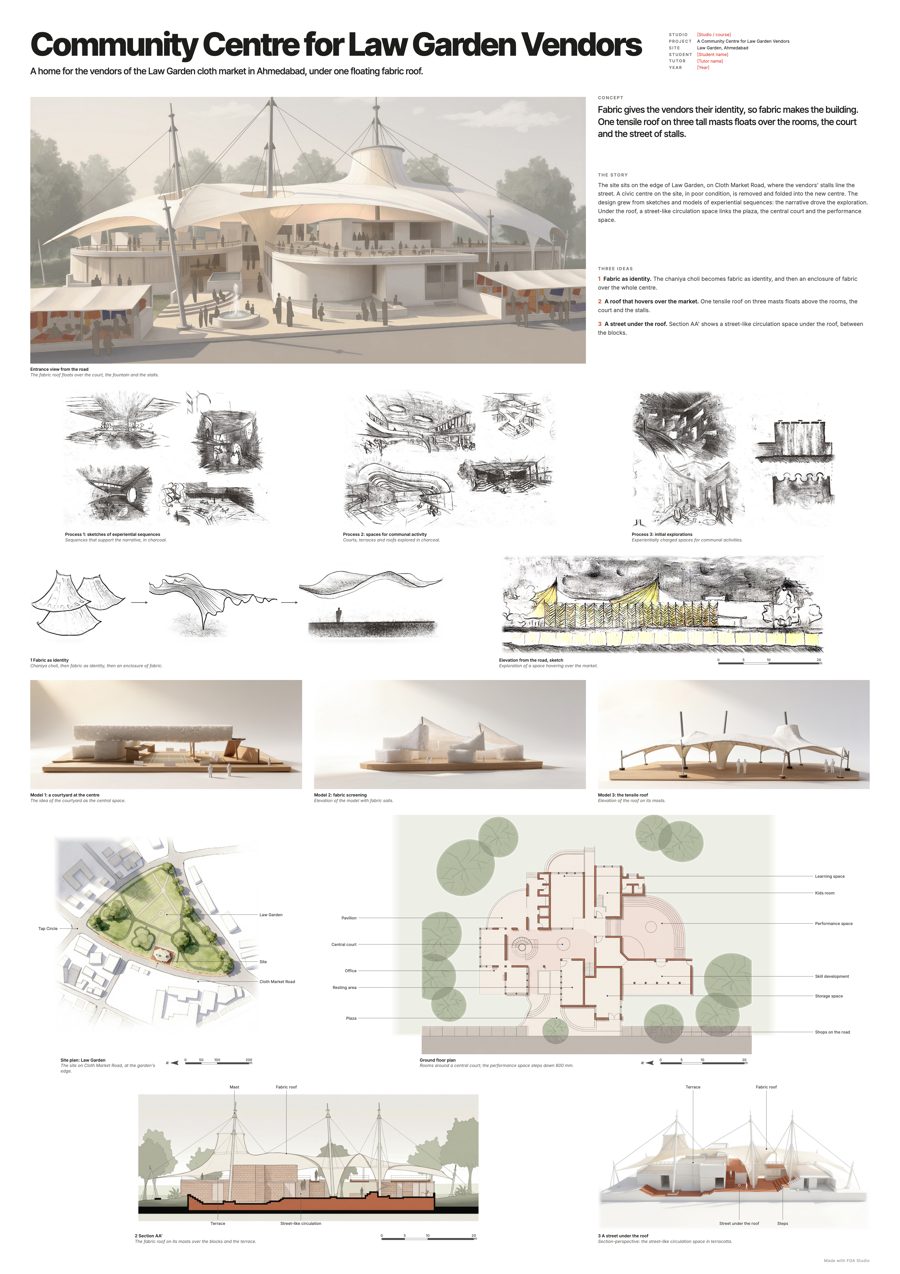
Scaling drawings between sizes
Because all A sizes share one shape, scaling is predictable:
- A1 to A0 is 141% (and A0 to A1 is 71%).
- A1 to A3 is 50%: two steps down halves every length.
- A1 to A2 is 71%.
The catch is the drawing scale. A plan drawn at 1:100 on an A1 board becomes 1:200 when the board is printed at A3. If the board says "1:100" in text, it is now wrong. Use graphic scale bars on every plan and section; they shrink with the drawing and stay true at any print size. Write the numeric scale only where you know the print size, such as on the final plotted board, and note "at A1" beside it.
Line weights and text shrink too. A 0.18 mm line on A1 becomes 0.09 mm at A3, which some printers drop altogether. That is why the A3 check print is useful: if everything still reads at A3, it will read well at A1.
Pixels: setting up the file
If you build the board in InDesign, Illustrator, Affinity, Photoshop or a slide tool, set the document to the real sheet size, not a screen size. Then think about the images placed in it:
- 300 dpi at final size is the safe target for images that people will look at closely. A full A1 sheet at 300 dpi is 7016 × 9933 pixels; A0 is 9933 × 14043; a 24 × 36 inch sheet is 7200 × 10800.
- 150 dpi at final size is usually enough for large photographs and renders seen from a step or two away, and keeps files manageable. A full A1 sheet at 150 dpi is 3508 × 4967 pixels.
- Drawings exported as vectors (PDF from your CAD or modelling software) have no pixel size and stay sharp at any scale. Keep plans, sections and elevations as vectors wherever you can.
A quick way to check an image: divide its pixel width by the width it will be printed at in inches. A render 3000 pixels wide printed 300 mm (11.8 in) wide comes out at about 254 dpi, which is fine. The same render stretched across the full 841 mm width of a landscape A1 is about 91 dpi, which will look soft up close.
Which size should you choose?
When the brief lets you choose:
- A1 or ARCH D for regular studio juries. They fit on a pin-up wall in a row, print on the common 24 inch and 36 inch plotter rolls, and are cheap enough to reprint the night before.
- A0 or ARCH E for final reviews and thesis, when you have more to show and a larger room. Don't pick the bigger sheet just to fit more; a full A0 is a lot of wall for a jury to read in a few minutes.
- Two or three A1 boards in a strip rather than one A0, when your story is a sequence. It also lets you reprint one board without reprinting everything.
- A2 or ARCH C for supporting sheets, research, or when the work is small in scale, such as a furniture or detail project.
Whatever you choose, use the same size, orientation and grid for every board in a set. Our guide to laying out an A1 board gives margins and column grids you can adapt to any of these sizes, and eight A1 layouts shows arrangements that work.
Plotting without surprises
- Ask the print shop which roll widths they have and whether the plotter has an unprintable edge, before you set your margins.
- Export to PDF at the real size, with fonts embedded or outlined, and open the PDF yourself before you send it.
- Print an A3 or tabloid check first. It catches missing images, stray layers and text that is too small.
- Plot the evening before, not the morning of, so a jammed plotter or a queue doesn't decide your jury. The 48-hour jury plan leaves time for it.
If your drawings are ready, Studio FGA can set them on an A1 board with a matching jury deck, so you have a first layout to adjust to your school's sheet, from $6.49.
Questions students ask
What size is an A1 sheet in inches?
About 23.4 × 33.1 inches (594 × 841 mm). It is a little smaller than the US ARCH D sheet of 24 × 36 inches, and a different shape.
Is 24 × 36 the same as A1?
No. 24 × 36 inches (ARCH D) is 610 × 914 mm, slightly larger than A1 and longer in proportion (2 : 3 against about 1 : 1.414). An A1 layout scaled to fit 24 × 36 leaves roughly 50 mm of length to fill.
What resolution should images be for an A1 board?
Aim for 300 dpi at the size each image will be printed for anything seen up close, and at least 150 dpi for large photographs and renders seen from a distance. Keep plans, sections and elevations as vector PDFs so they stay sharp at any size.